Rivian Loan - How do I generate a Motor Vehicle Purchase Agreement (MVPA)?
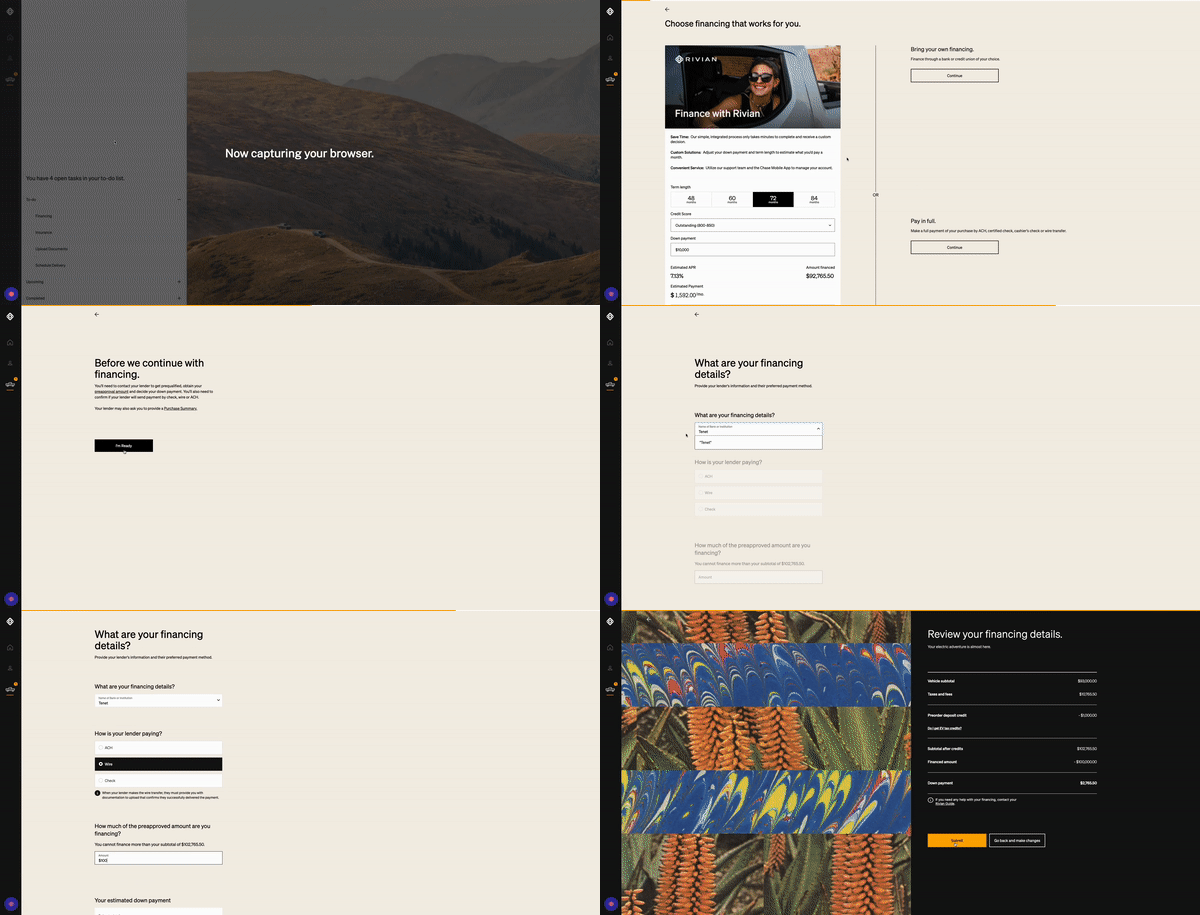
To generate a Motor Vehicle Purchase Agreement (MVPA) on your Tenet Application for a Rivian:
Proceed to your Rivian App or Dashboard.
View your "To-do List".
Go to the "Financing" Task.
Select "Get Started" for "Choosing a Financing Option".
Select "Continue" under "Bring your own financing".
Select "I'm Ready" under "Before we continue with financing".
Type in "Tenet" or "Tenet Energy" in "Name of Bank or Institution"
For "How is your lender paying" select "Wire".
Specify your financed amount. Your preapproved amount is the final loan amount you selected in your Tenet Dashboard.
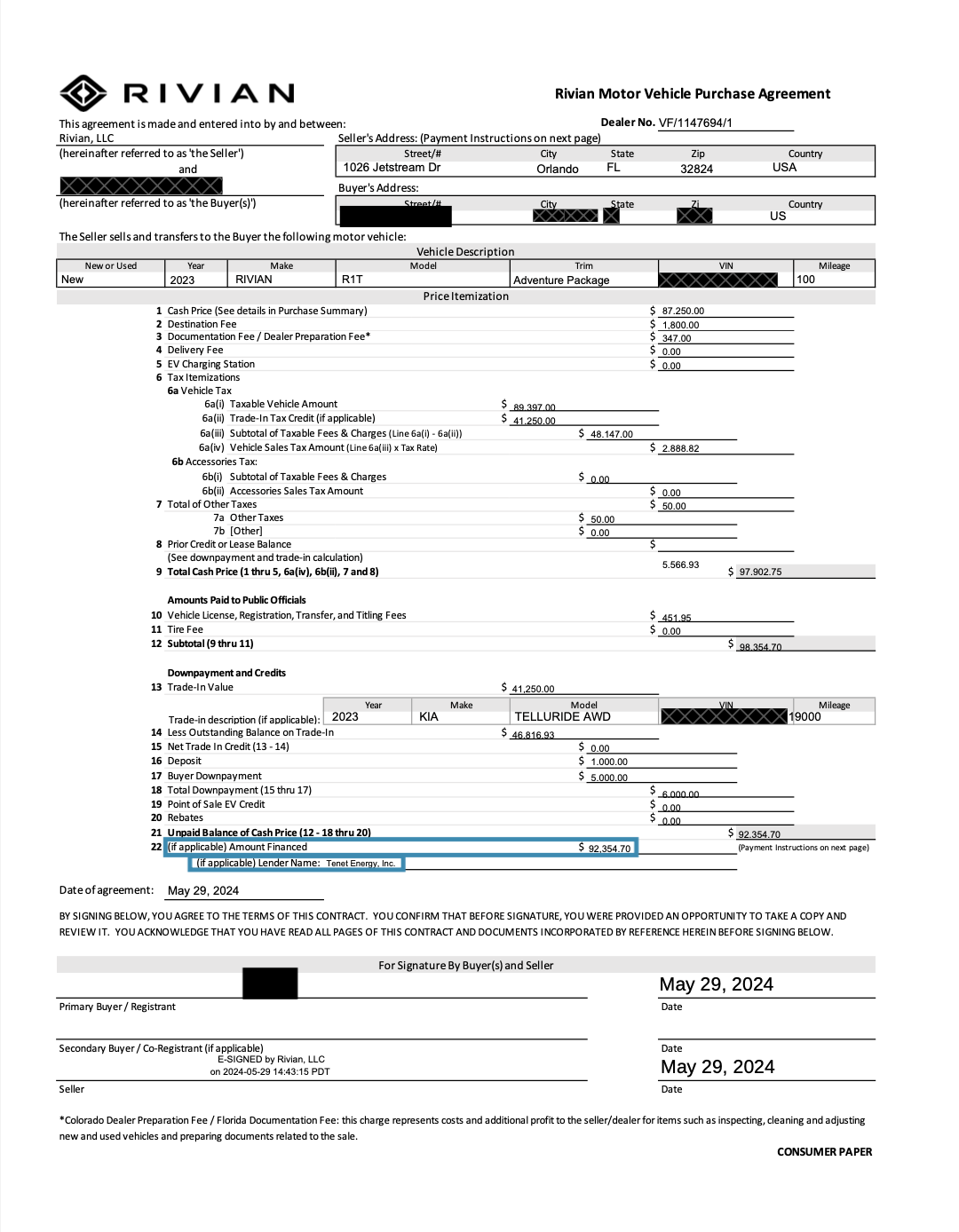
Your MVPA (Download Example Hereor See Example Below) should then become available within your Rivian App or Dashboard within a few weeks of your delivery. Check that the lienholder information, and financed amount are correct, and upload this document to your Tenet Dashboard in The Purchase Confirmation Task.
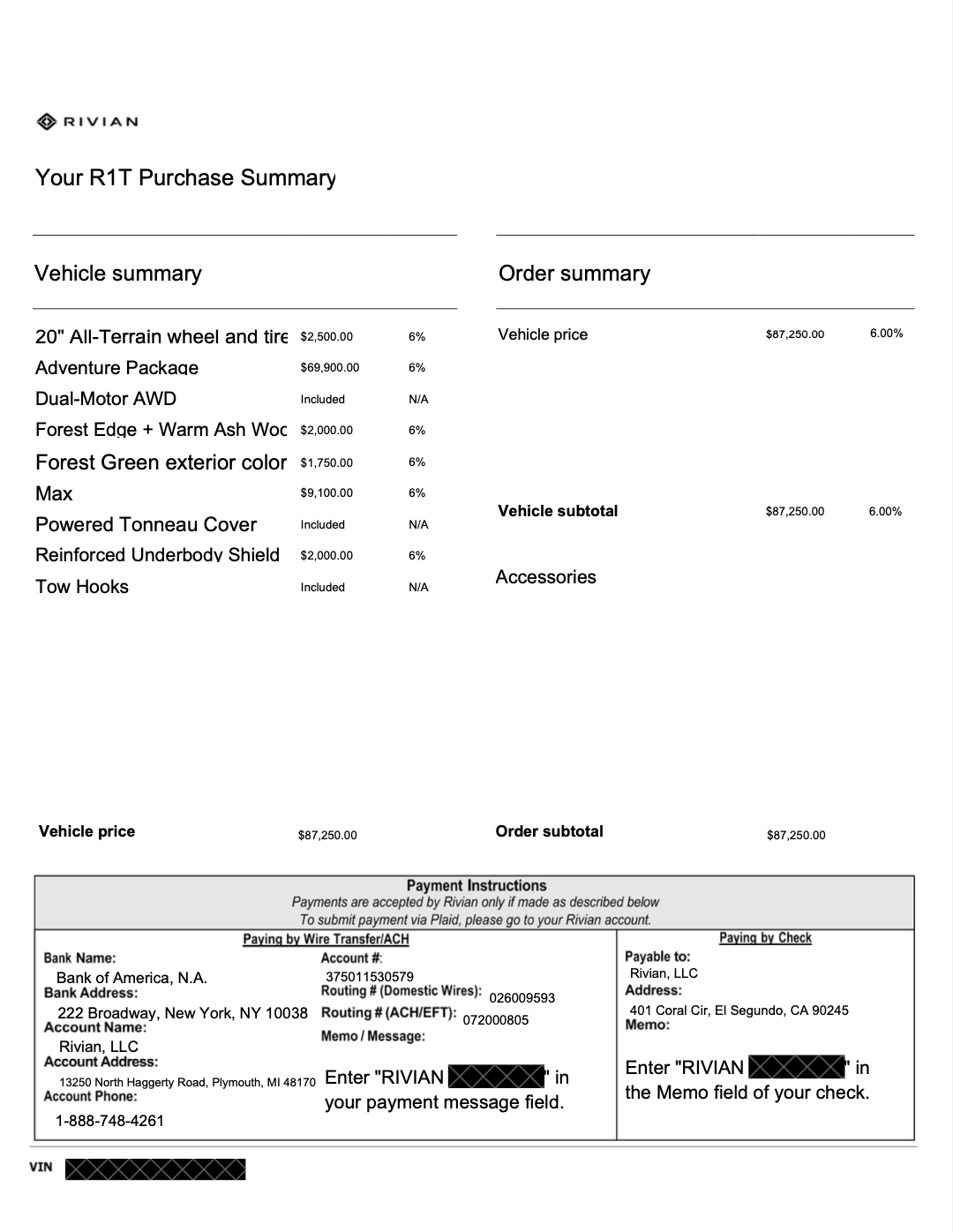
Note: The MVPA is different from The PS (Purchase Summary). If for any reason you have issues with generating your MVPA, you may reach out to Rivian at 1-888-748-4261 or email customerservice@rivian.com or contact your Rivian Guide for assistance.